
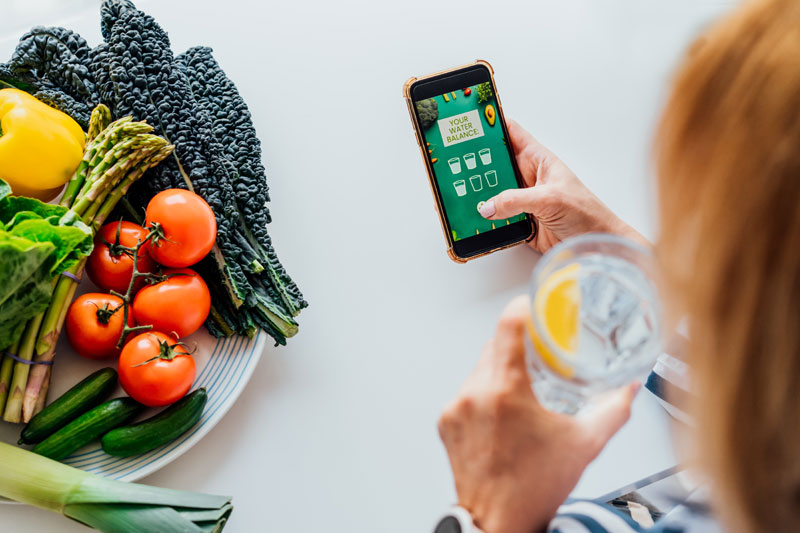
Every little bit helps when it comes to keeping the weight off after a hysterectomy.
One of those little helpers is a fitness app. It can help you stay on target, so you’re not consuming more calories than you’re burning off.
I’ve used various apps in the past, and some are better than others. I prefer simple apps that make tracking easy. I use the app occasionally when I’m trying out new foods or don’t want to get off balance.
It took me some time to find the right app. If you’re like me and don’t like a specific app, simply switch to another. Then, there’s always the old-fashioned way, which I sometimes turn to when I don’t feel like using the computerized method — journaling on paper.
Here are some fitness apps you can try to track your calorie intake, along with their pros and cons.
MyFitnessPal | Lose It! | MyNetDiary | LifeSum | Noom | Cronometer
MyFitnessPal
MyFitnessPal is a popular, user-friendly app that doesn’t require extra equipment. The database is user-provided, so new foods are always being added—maybe even by you!
Pros:
- MyFitnessPal has a free version.
- It’s intuitive. This is one of the easier apps to use, making it simple to navigate and input your food choices.
- It has a huge food database, and since it’s user created, the database is constantly growing. Chances are that the chocolate bar you ate from the specialty store is in there.
- It’s got a barcode scanner. All you have to do is scan the wrapper, and it inputs the stats of the food for you.
- It will connect with your smartwatch and over 50 other fitness apps, so if you use something similar, you can use this app in conjunction with another one.
- It has a fitness tracker. Using GPS, it can track your steps or bike rides and automatically input the distance you’ve exercised.
- It has recipes for those of us who don’t like to search for them.
- It has a community feature.
Cons:
- One of the biggest complaints of MyFitnessPal is that the food database may be wrong. Because it is user-generated, some users may accidentally put the wrong information in the record.
- Syncing doesn’t always work. If you use an exercise smartwatch, it won’t always sync with it, so you might lose out on walking or riding calories.
- The only feature you get with the free version is food tracking. Recipes, exercise subtraction, and fitness tracking are only available with the premium version, which runs ad-free for $19.99/month.
Tips for getting the most out of MyFitnessPal
- Be honest about what you put in your mouth. None of these calorie counters will work if you lie about what you’re eating.
- Get in a habit of tracking everything—what you eat, what you drink, how much you exercise. The more you’re in a habit of putting what you are doing in the app, the easier at tracking it will become.
- Use the barcode scanner. It is there to help you keep track, which makes it easier to track your calories.
- Make use of the community. You can get the encouragement you need to stay healthy, which is vital when trying to maintain a healthy lifestyle.
Lose It!
Lose it! is another popular fitness app and my favorite app. It’s MyFitnessPal’s main competitor and has many of the same features. However, the user database is not customer driven.
Pros:
- It’s free with a premium version to choose from, of course.
- What makes this app different from its main competition is that it gives you a personalized diet plan. Not everyone takes in their calories the same way, and Lose It! takes that into account.
- Lose It! gives you a meal and exercise plan that you can tap right into. Again, for those of us who like it easy and all in one place, this is a definite pro.
- It syncs with Google Fit and Apple Health to optimize your experience.
- It will scan the barcode on your package to log your food into the app, but you can also take a photo of the food as well.
- It has a community of users to keep you motivated.
Cons
- The free feature does not offer the meal and exercise plans nor the sync-devices feature.
- Lose it! does not sync with many apps, so if you don’t use Google or Apple, you can’t hook your other fitness app to it.
- The premium version, which offers you the other benefits of the app, is $39.99/year. That’s not bad, compared to other apps.
Tips for getting the most out of Lose It!
- Organize your log. Lose It! allows you to move your food around on your daily log to put it in the right category for when you ate it. Forgot to put the cup of coffee you had for breakfast? You can easily add it and then move it to the breakfast part of your daily log. This lets you easily see what you ate and when, so you can notice patterns in your eating.
- Again, use the barcode. It makes it easy to input your calories.
- We are creatures of habit, and you can use this to your advantage. There is a ‘Meals’ tab in this app, where it logs commonly eaten meals. Use this to log an entire meal that you’ve eaten, rather than reentering each item piece by piece.
- Use the community to keep you going when the going gets tough.
MyNetDiary
Another main competitor of MyFitnessPal is MyNetDairy. It too has a free version and boasts a huge database of food, along with a user-friendly experience.
Pros:
- Again, it’s free. Its free feature offers more features than Lose it! and MyFitnessPal.
- There are no ads in the free version.
- It tracks your food with a barcode scanner and a smart camera—both on the free plan!
- It has recipes from registered dieticians, so they are made with macro and micronutrients in mind.
- It boasts a database that approaches MyFitnessPal, but is more accurate since it’s not user-generated.
- MyNetDiary has a GPS fitness tracker that will track your calorie outtake with your exercise, which is also available with the free version.
- It has a healthy shopping list tool to gently remind you when you’re choosing an unhealthy option.
- It looks cool. I know we aren’t supposed to judge a book by its cover, but let’s be honest, we all do it. MyNetDiary’s sleek design and use of infographics keep you coming back.
Cons:
- To get good recipes, you’ll need a premium membership. The free recipes are plain, everyday finds.
- The database does not have many store-brand foods, so you may have to substitute the brand-name foods.
- The “healthy” shopping list can get annoying.
- To get your detailed information and the ‘good’ recipes from the dieticians, you have to subscribe to the premium plan. The information given on the free plan is only the basics, which may be all you need.
Tips for getting the most out of MyNetDiary
- Don’t wait to log your food in the app. This keeps you from forgetting what you ate and when you ate it. Those little sneaky calories you forget about add up.
- Use the smart camera. It makes your life easier than the barcode scanner (which is also helpful). Don’t make life harder for yourself. Take a picture and put your food in the app.
- Make sure the portion you are logging is correct.
LifeSum
LifeSum is aptly named. It helps you build healthy habits to keep the weight off and live a healthy lifestyle.
Pros:
- Its ‘habit builder’ allows you to track, not only your water intake, but fruit and vegetable intake, exercise and sleep regularity.
- It connects with most other fitness apps, so you can use it in conjunction with another fitness app for ultimate fitness syncing.
- It has pre-planned meals that cater to various lifestyles, such as vegetarian, keto and more.
- Its barcode scanner makes it easier to track your foods.
- You operate it with Google Assistant or iOS Siri! No buttons are needed, only your voice.
Cons:
- Its food database is still growing, so it might not have your food yet.
- The community feature is not as extensive as some other apps.
- There is no free version of the app, but its starting cost is reasonable, compared to the premium cost of other apps.
Tips for getting the most out of LifeSum
- Pair it with one of the free apps to get the most out of your calorie outtake with exercise.
- Take advantage of the barcode scanner.
- Use the shortcut function. You can shortcut entire meals to input them into your log. For example, if you have the same breakfast every morning, just tell the app to log in, “Same breakfast as yesterday.”
Noom
Noom differs from the previous apps mentioned above. It takes a psychological approach to food and teaches you why you eat what you eat and when. Do you eat because you are bored or for comfort?
It helps you track this kind of eating and shows how to change the habit or replace it with a healthier option. It is also education based, giving you actual lessons that keep you physically and mentally healthy.
Pros:
- To correspond with its psychological approach, Noom has a mood tracker. You can input your mood each day and throughout the day, so that you can see the patterns in your feelings and how they correspond with your eating habits.
- 1:1 support is provided to you by a coach to keep you motivated.
- The program encourages whole foods rather than just calorie counting — providing support for your overall health, not just weight loss.
- The mood tracker is a great feature to help you learn how your eating patterns correlate with your feelings.
- It has a community feature, where you can make friends and help each other stay on track.
- It syncs with many fitness apps, helping you track your steps and calories.
- It changes the way you look at food with no “good” foods or “bad” foods, but foods that support your calorie intake or outtake. This can be a big help to some people who are trying to stay within their daily calories.
Cons:
- If you are on a specialized diet, like keto or paleo or vegan, you might not like Noom. It’s a science-based calories-in, calories-out diet plan.
- The one-week trial subscription is short.
- The subscription plan is pricey ($59/month).
Tips to get the most out of Noom
- Get a food scale. Noom works with the ‘you burn more calories than you consume to lose weight’ model. To get an accurate amount of the calories of whole foods, you need an accurate weight of the food.
- Prep your meals beforehand. Because this is a whole foods diet, it is easier to sometimes prep a few meals ahead.
- Use the 1:1 coaching that is offered. That is why it’s there. They can be your accountability partner to keep you motivated and on the right path to success.
- You don’t have to cut out your favorite foods. Just watch your portion sizes and build good, healthy and sustainable habits into your plan.
Cronometer
What sets Cronometer (pronounced CRON-o-meter) apart from its competitors is that it has a pro version for doctors, nutritionists and dieticians to help their clients. The developer was on the CRON (calorie-restricted and optimal nutrition diet) and made this app to help him track his food intake. Not only did it work for him, but it has worked for countless others as well.
Pros:
- It has a free version.
- The macro and micro nutrient goal feature is customizable, even in the free version.
- It looks cool and uses infographics to get its point across, which makes it easy to use.
- It has a vast and accurate food database.
- You can make shortcuts for your food for easy input.
- It works with many fitness apps to help with your calorie outtake and track your exercise progress.
- There is an intermittent fasting timer with his app to track when it’s time to eat or fast.
Cons:
- If you don’t know what your macros and micros are supposed to be, all the customizable information can be very overwhelming.
- To get most of the features, you need the paid version.
- You can get hung up on all of the stats available and lose sight of the real goal—your health.
Tips to get the most out of Cronometer
- Use the forums to ask for help. You can customize Cronometer, which is one of its strengths, but sometimes too much of a good thing can give us brain freeze. Use the forums to ask for help on how much your micro nutrients should be if you don’t know, or what questions to ask your doctor the next time you visit.
- Sync it with your fitness app. Different exercises rob you of different macro and micronutrients. Since Cronometer tracks both of them, it can help you not only track calorie outtake, but replenish what you’ve lost in the process.
- Use the shortcut logging feature to log your vitamins that you take during the day to input for your micros!
Takeaway.
Each of these apps has its flaws and strengths. It’s up to you to decide which is the perfect fit.
Do you need it sync with a certain fitness app you already have? Do you need to track something specific? These, and similar questions, are what you may need to take into account when choosing the right app.
No matter which you ultimately choose, log what you eat. If you ate a double-sized strawberry and cream cheese danish, log it. Not putting it in the app doesn’t make the calories go away. And the app can’t help you if you don’t log what you’ve eaten. Honesty is the key to making any of these fitness apps work best for your needs.
Your health is a combination of many things—your calorie intake from healthy foods that nourishes your body, your exercise regimen that strengthens your body, quality rest that restores your body, and the self care that cradles your mind. While none of these apps can do it for you, but they can help you on your journey toward a healthier you.
For additional help with tracking your progress, grab a copy of my Hysterectomy Fitness journal.
 How to Exercise and Prevent Weight Gain Years After a Hysterectomy